
Athena · Solution
Multilingual Teaching & Translation Appliance
AI that records the lesson, translates it as it is taught, and puts it in every student's hands by QR code.
K-12 · Higher Education · Vocational · International Training

- Step to record and translate
- 1
- Recording modes
- 3
- Apps for students to install
- 0
- Rack-mounted appliance
- 2U
01 — The Problem
Classrooms are multilingual. Most teaching material isn't.
Schools teach students who don't share a first language, run international programmes and train staff across borders. The lessons are still recorded, subtitled and shared by hand, one language at a time.
- 01
Cross-language instruction
When the teacher and students don't share a language, the lesson only lands for part of the room. Subject terminology is where understanding breaks first.
- 02
Time-consuming content production
Turning a lesson into a reusable resource means recording, transcribing, translating and subtitling it, often by hand and across separate tools. Few teachers have the hours.
- 03
Fragmented resource management
Videos, documents and slides end up spread across drives, devices and inboxes. What one teacher makes is hard for the next class, or the next campus, to find.
02 — Our Solution
Record once. Every student gets it in their language.
One appliance records the class, transcribes and translates it in real time with a model fine-tuned for education, and publishes it behind a QR code that students open on any device.
Step 01
Record
Classroom-camera, PowerPoint or screen recording, captured in high definition from the teacher recording station.
Step 02
Translate
Real-time speech-to-text, translation and synchronised bilingual subtitles, tuned to classroom speech and subject terminology.
Step 03
Share
A QR code is generated the moment recording ends. Students scan it and watch with subtitles on any device, with no app to install.
Step 04
Reuse
Every lesson lands in a tagged, searchable library under role-based permissions, ready for the next class or the next campus.
03 — How It Works
Three portals. One appliance.
Teachers record, students watch, administrators keep it in order. Each role gets its own way in, all running on the same box.
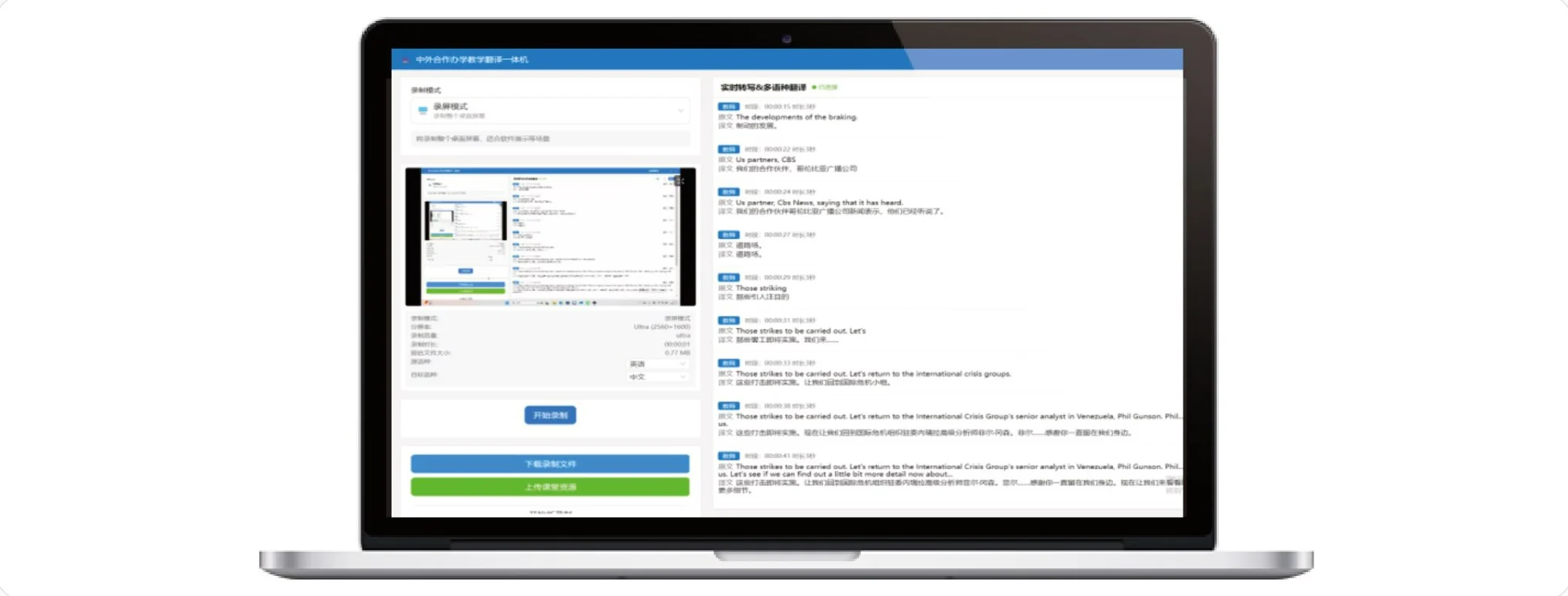
Combines local recording, real-time translation, subtitle generation, upload and sharing in one workflow. A shareable QR code is generated automatically when recording is complete, so distribution takes one click.
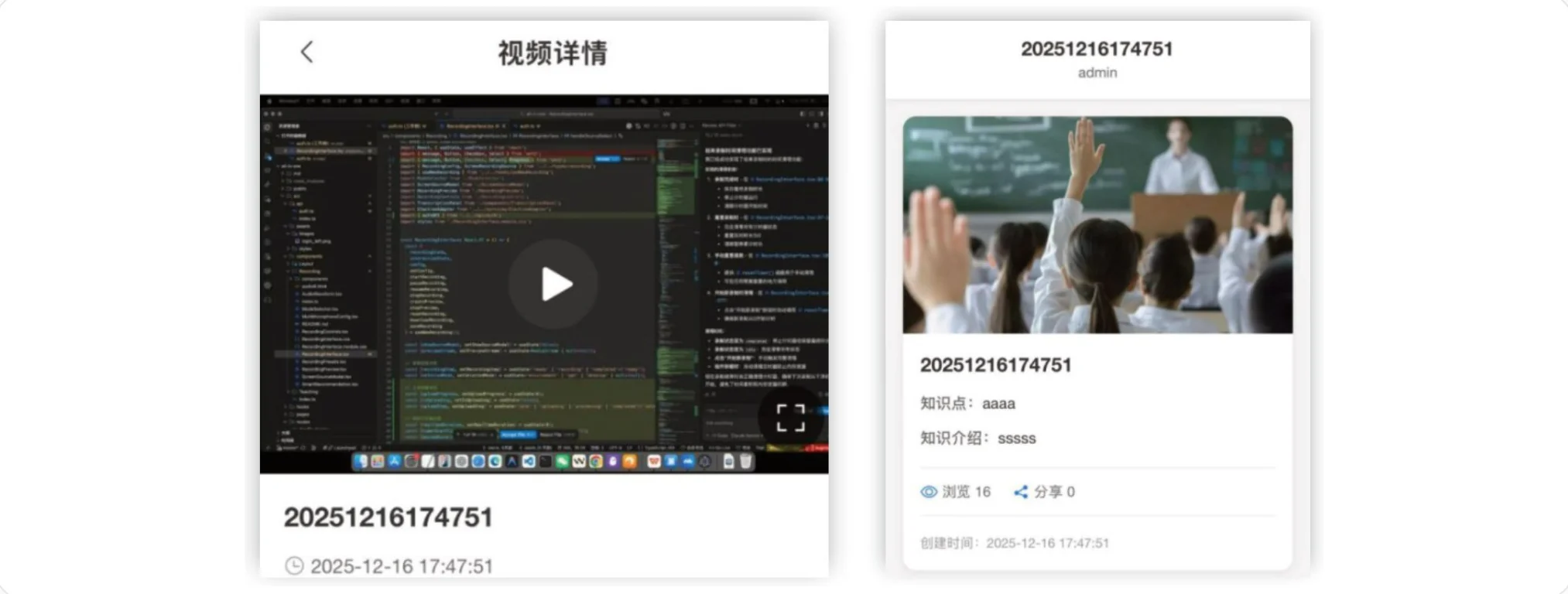
Scan a QR code to open course resources instantly. Videos play with synchronised bilingual subtitles, and resources are organised by category for review and independent learning after class.
Web-based administration with hierarchical, role-based permissions, for standardised management of users, devices and resources.
System Administration
Users, roles, menus, classes and logs: permission assignment, class hierarchy, and operation and login-log queries.
System Monitoring
See who is online, force logouts and watch usage in real time to keep the system secure and stable.
Translation Databases
Terminology, translation-memory and hotword databases: edit terms, bulk-import memory, and maintain hotwords for accuracy.
Learning Resources
Create and edit resource topics, browse latest and popular materials, and share by QR code.
Personal Workspace
Upload teaching resources, publish them to classes, and edit or remove them in a personal space.
Under the hood
Translation model built for education
- Adapted to classroom speech and subject terminology
- Fine-tuned so translations follow instructional context and logic
- Terminology, translation-memory and hotword libraries per subject
Audio and video recording engine
- Real-time speech-to-text with synchronised subtitles
- High-definition capture of classroom video and audio
- Adjustable subtitle styles and recording parameters
Learning resource library
- Tag-based categorisation and multidimensional search
- One place for videos, documents and images
- Tiered permissions and traceable activity logs
04 — Metrics
We agree the metrics first. Then we prove they moved.
Every deployment follows our framework. Before the appliance goes in, we set the metrics that define success with your team and measure where they stand today.
- 01
Teacher time per lesson resource
Hours from the end of a lesson to a subtitled, shareable resource.
Moved by · Recording, translation and subtitles in one step
- 02
Bilingual coverage
Share of lessons available with bilingual subtitles.
Moved by · Real-time translation on every recording
- 03
Time to student access
Minutes from the end of class to a working link in students' hands.
Moved by · Automatic QR codes, no app
- 04
Terminology accuracy
Subject terms translated correctly, checked against your glossary.
Moved by · Terminology, memory and hotword databases
- 05
Resource reuse
Views per resource, and resources reused across classes and campuses.
Moved by · Tagged, searchable resource library
Before
We agree the metrics with you and measure today's baseline.
Go-live
The appliance is installed, configured and your teachers are trained.
After
We report each metric against its baseline, so the return is proven.
05 — Where It Works
Six settings. One appliance.
Bilingual classroom teaching
Bilingual subtitles generated in real time help students understand specialist content and improve learning outcomes.
International education courses
Real-time translation and transcription support joint international teaching and courses for overseas students.
Premium lesson recording
Teachers record classroom content; bilingual subtitles are generated and uploaded to their workspace for after-class review.
Modernising legacy course materials
Upload existing videos and documents for translation and subtitling, ready for digital and international use.
Off-campus online training
Record training courses, build multilingual resources and share them with learners by QR code.
Cross-campus resource sharing
Publish strong teaching resources to a shared library used across campuses and schools, for more equitable access.
06 — Specifications
Hardware Lingyi-X001
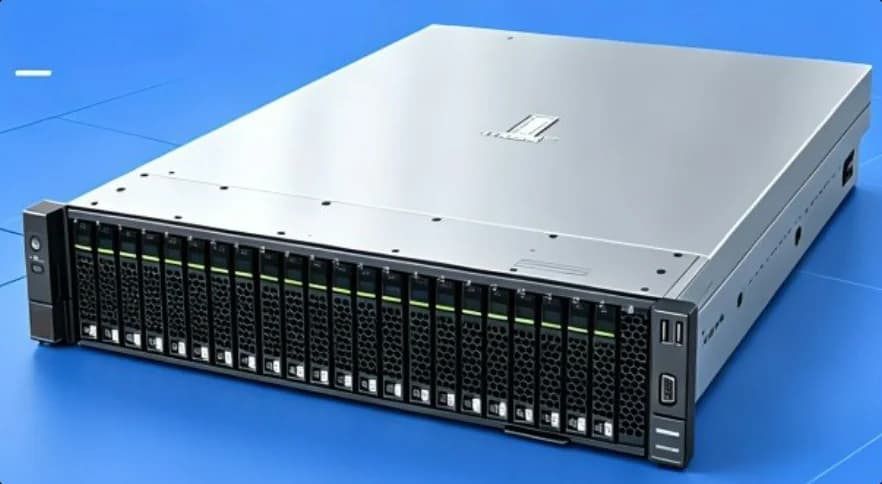
- Product
- Multilingual Teaching & Translation Appliance
- Model
- Lingyi-X001
- Form factor
- 2U rack-mounted appliance
- Processors
- ≥ 2 CPUs
- Memory
- ≥ 128 GB
- Storage
- ≥ 960 GB
- Network
- ≥ 2 × GE ports
- Power
- Redundant AC power supplies
- Cooling
- Redundant fans
What are your classrooms losing in translation?
Tell us about your students, subjects and languages. We'll agree how to measure the problem, then show the appliance working on your own teaching material.